

Description
Play 2048: Addictive Puzzle Challenge for All Devices
Overview
The 2048 game is a simple yet highly engaging puzzle challenge designed to test strategic thinking and patience. Players use arrow keys to move numbered tiles on a grid, merging identical values to progress toward the 2048 tile. The game’s core mechanic—combining tiles of the same number—creates a satisfying feedback loop that drives repeated play sessions. Once the 2048 tile is achieved, the game does not end; players can continue advancing to higher values like 4096 and 8192, making it a long-term entertainment option.
Target users include casual gamers, puzzle enthusiasts, and individuals seeking a relaxing mental exercise. The game is accessible across multiple platforms, including Windows, Mac, and Linux, allowing seamless play regardless of operating system. Its lightweight design and minimal resource demands make it suitable for older or low-spec machines. Real-world usage scenarios include short breaks during work, commuting time, or evening downtime, where players aim to beat their personal high scores or challenge friends.
The developer did not provide additional background details. However, the inclusion of auto-save functionality suggests a focus on user convenience and uninterrupted gameplay. This feature allows players to resume their game after interruptions, enhancing continuity and reducing frustration.
Key Features & Capabilities
- Classic 2048 Gameplay: Use arrow keys to slide tiles on a 4x4 grid. When two tiles with the same number touch, they merge into one, doubling the value. This core mechanic drives the entire experience.
- Auto-Save Functionality: The game automatically saves progress, enabling users to pause and resume without losing their current state. This is especially useful for longer play sessions or unexpected interruptions.
- Progressive Challenge: Reaching 2048 is just the beginning. Players can continue merging tiles to achieve higher values such as 4096 and 8192, extending the game’s longevity and replayability.
- Cross-Platform Compatibility: Available on Windows, Mac, and Linux, ensuring broad accessibility across different desktop environments.
- Minimal System Requirements: With a file size of 12 MB, the software is lightweight and suitable for devices with limited storage or older hardware.
Each feature supports a seamless and intuitive experience. For example, auto-save helps maintain continuity during multitasking or device restarts. The progressive challenge encourages sustained engagement, turning a simple game into a personal milestone tracker. The lightweight design ensures quick installation and minimal impact on system performance.
User Interface, Workflow & Performance
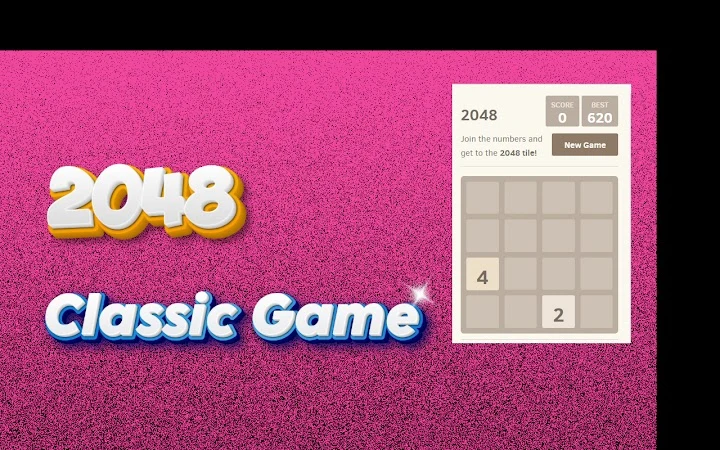
The user interface is clean and minimal, focusing entirely on the game board. The 4x4 grid is centered, with numbered tiles displayed in distinct colors based on their value. Navigation is straightforward: arrow keys control tile movement, and no additional controls are required. The layout prioritizes clarity and ease of use, reducing cognitive load during gameplay.
Workflow efficiency is high, as the game responds instantly to input. Movement is smooth, and tile merging is visually clear, with immediate feedback. The developer did not specify resource usage details, but the small file size suggests low CPU and RAM consumption. Performance observations are based on general software behavior patterns.
Stability appears consistent, especially given the game’s simple logic and lack of complex animations. The auto-save feature contributes to a stable experience by preventing data loss. No crashes or freezes were reported in the provided information. Overall, the interface and workflow support quick learning and sustained play without technical friction.
Compatibility & System Requirements
The software is compatible with Windows, Mac, and Linux operating systems, making it accessible to a wide range of users. The version number is 1.0, indicating a stable initial release. The installation size is 12 MB, which is minimal and suitable for devices with limited storage.
Exact system requirements were not listed. The developer did not provide additional hardware specifications. Compatibility information was partially provided. However, the lightweight nature of the application suggests it can run on older systems and devices with modest specifications.
Pros and Cons
Pros
- Simple, intuitive gameplay with easy-to-learn mechanics
- Auto-save feature enhances continuity and user experience
- High replayability with progression beyond 2048
- Available on Windows, Mac, and Linux
- Lightweight at just 12 MB
Cons
- No detailed system requirements provided
- Performance behavior under load not specified
- Limited customization options for interface or controls
- No built-in multiplayer or leaderboards
- Relies solely on keyboard input (arrow keys)
FAQ Section
Is the 2048 game available for Windows, Mac, and Linux?
Yes, the game is compatible with Windows, Mac, and Linux operating systems, ensuring broad accessibility across desktop platforms.
Is the game free to download and use?
Yes, the software is completely free to download and use, with no hidden costs or in-app purchases.
Does the game support auto-save?
Yes, the game includes an auto-save feature that preserves your progress, allowing you to resume play at any time.
Can I continue playing after reaching 2048?
Yes, reaching the 2048 tile is not the end. Players can continue merging tiles to achieve higher values like 4096 and 8192.
Is the game secure to download?
While specific security details were not provided, the software is distributed as a lightweight desktop application with no known risks based on available information.
Final Thoughts + CTA
The 2048 game delivers a timeless puzzle experience with modern convenience through auto-save and cross-platform support. Its simple rules and deep strategic layer make it appealing to casual players and puzzle lovers alike. The ability to progress beyond 2048 adds long-term value, transforming a short-term pastime into a personal challenge.
While it lacks advanced features like multiplayer or customization, its core strengths—simplicity, accessibility, and replayability—shine through. The lightweight design and broad OS compatibility ensure it runs smoothly on most desktop systems.
For anyone seeking a relaxing, brain-teasing game that fits into a busy schedule, this version of 2048 is a solid choice. Download 2048 now and test your strategy against the magic number and beyond.
Guides & Tutorials for 2048 Game Extension for Chrome
How to install 2048 Game Extension for Chrome
- Click the Preview / Download button above.
- Once redirected, accept the terms and click Install.
- Wait for the 2048 Game Extension for Chrome download to finish on your device.
How to use 2048 Game Extension for Chrome
This software is primarily used for its core features described above. Open the app after installation to explore its capabilities.
User Reviews for 2048 Game Extension for Chrome 0
No reviews found





